If you are asking, “Why is my Google Play gift card not working?”, start with the exact message on the screen. A mistyped code, a card that was never activated at checkout, a country mismatch and a code that has already been redeemed are different problems. They also have different solutions.
The fastest approach is to stop guessing, copy the exact error message, and work through the relevant check below. Do not post the code, receipt or a photo of the back of the card in a public comment or forum.
Quick answer: what should you check first?
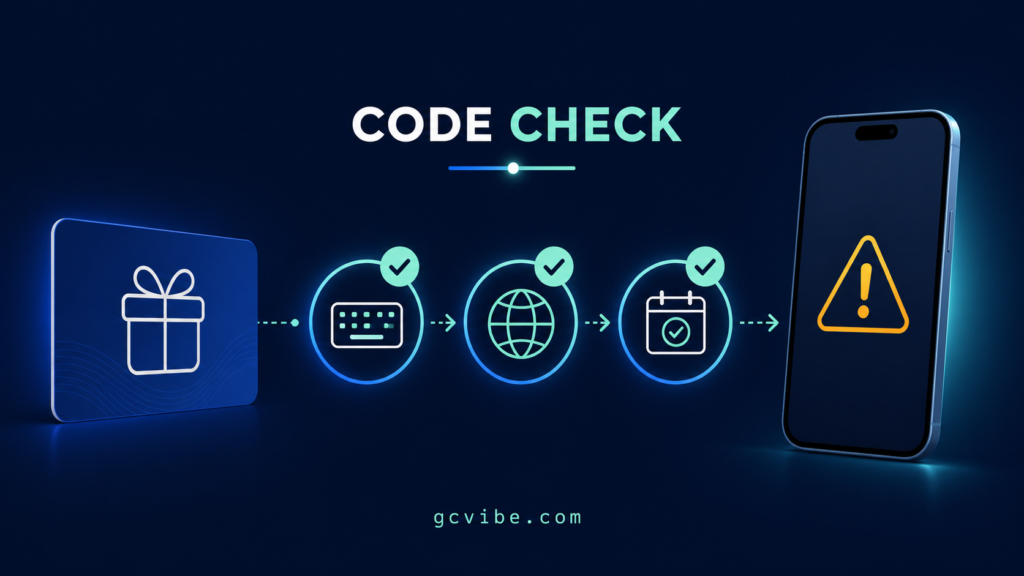
Before contacting anyone, check these five details:
- Confirm that it is a Google Play gift card, not another prepaid card you are trying to add to Google Play.
- Enter the code without spaces or dashes, and check similar-looking letters and numbers.
- Confirm that the card’s country and currency match your Google Play country and payment profile.
- If it was bought in a physical shop, check the receipt for proof that the retailer activated it.
- Make sure you are signed in to the Google Account that should receive, or may already have received, the balance.
Google says its gift cards are country- and currency-restricted. A card normally has to be redeemed and used in the country and currency in which it was purchased. A VPN does not change the issuing country of the card or legitimately solve that restriction.
1. Google Play gift card invalid code error
Start with the code itself. If you have a physical card, try the scanner in the Google Play app. You can also enter the code manually, but leave out spaces and dashes. Look carefully for characters that are easy to confuse.
If the protective strip is damaged, do not keep scratching until the characters disappear. Google may ask for a clear picture of the back of the card with its serial number visible, plus the purchase receipt. Keep both.
An invalid-code message can also appear when a physical card was not activated by the retailer. That is a purchase-side problem, not something repeated typing will repair.
2. Google Play gift card not activated error
Physical gift cards generally need to be activated at the retailer’s checkout. If that step failed, Google says it cannot activate the card on the shop’s behalf.
Take the card and receipt back to the retailer and ask the retailer to verify the activation transaction. If the retailer confirms that the card was activated and the error remains, contact Google Play Support with the receipt and card details requested through Google’s official support form.
This is why the receipt matters even when the card looks new. It can connect the physical card to the sale and activation event.
3. Google Play gift card country error
Google Play gift cards are not global cash. Google states that a Play gift card can normally be redeemed only in the country where it was purchased, and the gift card currency must match the currency in the user’s Play country or payment profile.
For example, buying a US-dollar Google Play card does not automatically make it redeemable on an account set to another country. Being physically outside the card’s country may also trigger a restriction, including while travelling.
Check your Google Play country under your account settings before doing anything else. If you recently moved, read Google’s country-change rules carefully: changing the Play country can affect available content and payment methods, and an existing Play balance does not simply transfer to the new country.
Do not pay a stranger who promises to “unlock” or “convert” a region-locked code. The issuer controls redemption eligibility.
4. Google Play code already redeemed error
A Google Play code is single-use. If you redeemed it earlier, the value should be in the Google Play balance of the account used at that time.
First, switch between any Google Accounts signed in on the device and check each Play balance. Also ask whether a trusted person who had access to the code may have redeemed it. If the balance still cannot be found, use Google’s official support route.
Google notes that, for privacy and security reasons, support cannot tell you which other Google Account redeemed a code. This is one reason never to send an unscratched code or a clear code photo to an unverified buyer, “agent” or social-media account.
5. “We need more information to redeem your gift card”
This message means Google wants additional details before allowing redemption. Use only the form linked from Google Play Help. Depending on the case, Google may request the card, its serial number, the receipt and information about where it was purchased.
Avoid unofficial forms sent in direct messages. A genuine support process should start from Google’s own help pages, not from a shortened link supplied by a stranger.
6. “You have reached your redemption limit”
Google applies country-specific limits to Play balances and redemptions. If adding the card would put the account over a relevant limit, Google advises spending some of the existing balance or waiting for the stated reset period before trying again. Its troubleshooting page currently advises waiting 24 hours for a redemption-limit message.
Do not split the code, repeatedly submit it from different devices, or create extra accounts to bypass an account restriction. Follow the instruction attached to the error.
7. “Your Play balance can only be used in [country/region]”
Redeeming a code and spending an existing Play balance are related but separate steps. A code may have been redeemed successfully in one country, yet the resulting balance may not be usable after the account holder travels or changes location.
Google says the user must be present in the country where the gift card balance was redeemed to use that balance. If you are travelling, retry when you return. If you are already in the correct country, use Google’s support form rather than trying location-spoofing workarounds.
8. The code works, but the purchase still fails
If the balance appears in your account but a purchase is declined, the gift card code itself may no longer be the problem. The item may be ineligible, the account may need identity or payment verification, or a valid backup payment method may be required.
School and workplace-managed Google Accounts can also have restrictions. In that situation, the organisation’s administrator may control what the account can buy or which Google services it can use.
Read the purchase error separately instead of redeeming the same code again.
9. The printed code is damaged or unreadable
On an Android device, open Google Play, tap your profile picture, choose Payments & subscriptions, select Redeem gift code, and try Scan gift card. If scanning fails and the characters cannot be read, contact Google Play Support.
Keep the entire card. Do not cut away the serial number, discard the packaging or edit the receipt image. Google lists the visible serial number and proof of purchase among the details it may need.
Who should you contact: the retailer or Google?
Contact the retailer first when the message says the card is inactive or was not activated. The retailer handled the sale and checkout activation.
Contact Google Play Support when the retailer confirms activation but the code still fails, when the code is damaged, when Google asks for more information, or when you believe an already-redeemed message is an error.
If the card came from a third-party seller, marketplace or individual, preserve the order record and seller conversation as well as the receipt. Do not send the full redemption code in a public dispute thread.
Before you buy or trade a Google Play gift card
A few checks prevent many redemption problems:
- Confirm the card’s issuing country and currency before paying.
- Buy from an authorised retailer and keep the receipt.
- Do not redeem a card to “test” it if you intend to transfer or trade the unused card; redemption permanently attaches the value to an account.
- Never expose the full code in a public photo.
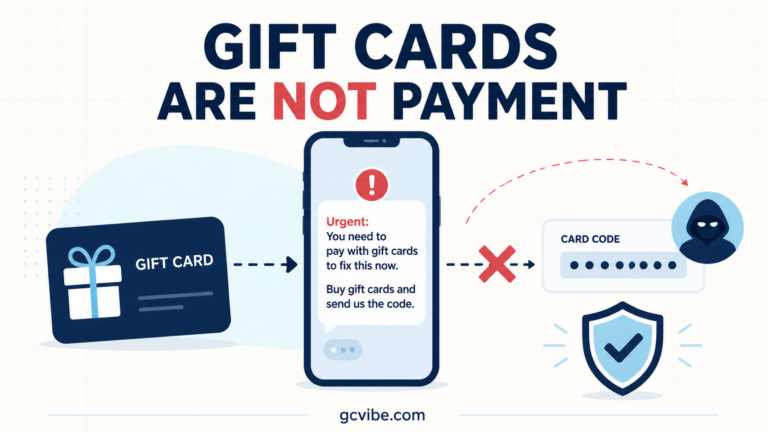
- Treat an urgent request to pay a person, business or government office with gift cards as a scam warning.
Frequently asked questions
Can a VPN fix a Google Play gift card country error?
No legitimate fix is created by a VPN. The card’s issuing country, its currency, your Play country and your account information still determine eligibility. Use Google’s country settings and official support process.
Can Google activate a card that the shop forgot to activate?
Google says it cannot activate a physical card on the retailer’s behalf. Return to the retailer with the card and purchase receipt.
Can I transfer a redeemed Google Play balance to another account?
Google generally does not allow a redeemed Play balance to be transferred to another Google Account, subject to limited exceptions described in its help documentation. Check the account before redeeming.
Should I send my code to someone to check whether it works?
No. Anyone who has a usable code may be able to redeem the value. Use the official retailer or Google support route and disclose only the information their secure process requests.
Official sources
- Google Play Help: Fix problems with Google Play gift cards and codes
- Google Play Help: About Google Play gift cards and where to buy them
- Google Play Help: Buy, send and receive gifted gift cards
Reviewed by GCVibe Editorial on 6 August 2026. Google Play rules and available support forms can change by country, so verify the current wording on Google Play Help before acting.