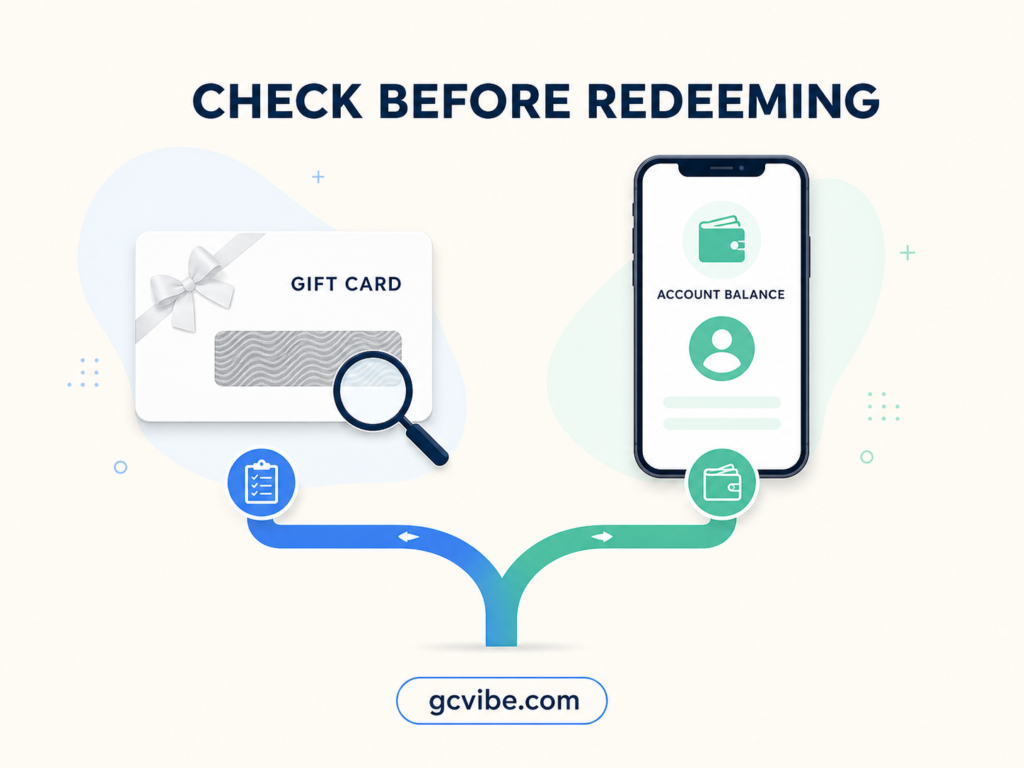
You can check an unredeemed Apple Gift Card balance without adding the money to your Apple Account, but only through an official Apple balance-check route available for that card and country. In the United States, Apple’s terms direct users to apple.com/go/gcb/us or 1-800-MY-APPLE. If the card has already been redeemed, check the Apple Account balance in the App Store instead.
The important part is identifying which balance you have before entering any code. A gift-card balance is attached to the unused card. Apple Account balance is attached to the account that redeemed it. They are not two views of the same movable balance.
Start with the two balance types
This distinction prevents the most common mistake: opening the App Store, seeing no account balance and assuming an unused gift card is empty.
| What you have | Where the value currently lives | Official place to check | Does the check redeem the card? |
|---|---|---|---|
| Unredeemed Apple Gift Card | On the physical card or digital code | Apple’s official gift-card balance page or Apple support route for the issuing country | No, when you use the dedicated balance checker |
| Redeemed Apple Gift Card | In the Apple Account that redeemed it | App Store account screen; Wallet may also show it in supported regions | The redemption already happened |
| Older App Store or App Store & iTunes card | On the code until redemption | Availability varies by card and region; begin with Apple Support | Do not test it by redeeming if you need it to remain unused |
| Legacy Apple Store Gift Card | On the card | The Apple Store gift-card balance route for its issuing country | No |
Apple’s current U.S. gift-card terms say that once a physical or digital card is linked to an Apple Account, the card itself can no longer be used. The value becomes part of the account’s associated balance. If you are looking for how to check Apple Gift Card balance steps, remember that “check” and “redeem” are not interchangeable actions.
Check an unused Apple Gift Card without redeeming
If you want to check Apple Gift Card balance without redeeming the funds, use the route named in Apple’s own terms: Apple’s gift-card balance page for a U.S.-issued card. Confirm that the address ends in apple.com or secure.store.apple.com before entering anything.
- Keep the full card number or redemption code private.
- Open Apple’s official balance-check route for the card’s issuing country.
- Sign in only if Apple’s page asks you to do so.
- Enter the requested card details on that official page.
- Record the result without publishing a screenshot that exposes the code.
This process is meant to inspect the available card balance. It is different from choosing Redeem Gift Card or Code in the App Store, which transfers eligible value to an Apple Account.
If you are trying to perform an Apple Gift Card balance check online and the U.S. link redirects to a country selector, shows that the service is unavailable, or does not recognise your type of card, stop rather than trying unauthorised checkers. Card programmes and online checkers differ by country. Use the support options on Apple’s local website or contact the retailer shown on the receipt.
A real balance checker should not need remote access to your phone, your Apple Account password, or a public photo of the card code.
Check a balance that has already been redeemed
Once the code has been redeemed, check Apple Account balance—not the original card. Apple’s current iPhone instructions are short:
- Open the App Store.
- Tap your photo, initials or the sign-in button.
- Sign in if asked.
- Look for an amount below your name. Apple says that if no amount appears, the account has no visible balance.
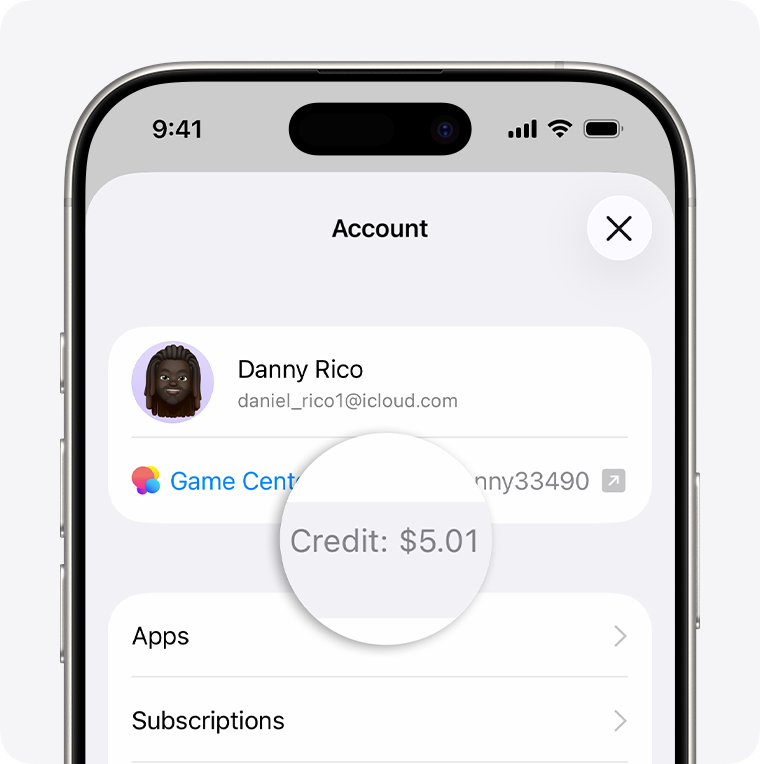
The same Apple Support article explains where to look on iPad, Mac and Windows. On a Mac, the amount appears below the signed-in name in the App Store sidebar. On Windows, Apple directs users to the Apple Music or Apple TV app and shows the balance below the account name. Wallet can display Apple Account balance in some countries or regions, but that availability is not universal.
What the result does—and does not—prove
A displayed balance answers one narrow question: how much value Apple currently reports for that card or account. It does not prove every other fact a buyer, recipient or support agent may need.
| Result or message | What it usually tells you | Safer next check |
|---|---|---|
| A positive gift-card balance appears | The official checker reports value on that card | Confirm the issuing country and keep the code private |
| No Apple Account amount appears | That signed-in account has no visible Apple Account balance | Confirm you are using the correct account; do not assume an unused card is empty |
| “Already redeemed” | The code has previously been added to an account | Sign out and back in if you redeemed it; otherwise contact Apple Support |
| “Not activated” | Retail activation may not have completed | Return to the retailer with the original receipt |
| Country or region error | The card and account storefronts do not match | Use the card only in its issuing country or region according to Apple’s rules |
| Invalid or unreadable code | The wrong characters, wrong card type or physical damage may be involved | Recheck similar characters and contact Apple if the code is damaged |
Apple lists “already redeemed,” “not activated,” “not valid,” and country or region mismatch as separate problems. Treat the exact message as evidence; do not keep retrying the code across different accounts.
Protect the code while checking
Gift-card codes function like stored value. Anyone who obtains a usable code may be able to redeem it before you do.
- Use an Apple-owned domain, not a balance-check page reached through an unsolicited message.
- Never send the full code in social-media comments or public support forums.
- Do not share an Apple Account password or one-time verification code with someone offering to “verify” the card.
- Keep the original receipt. Apple may ask for it, along with images of the card and its serial number, when investigating activation or redemption problems.
- Distinguish the serial number from the redemption code. Apple explains that they are different identifiers.
If a caller says you must buy Apple Gift Cards to pay a tax bill, government fee, technical-support charge or emergency debt, stop. That payment pattern is a scam warning, not a balance-check procedure.
If the official checker does not work: first confirm the card type. Apple Gift Cards, older App Store & iTunes cards and legacy Apple Store Gift Cards do not always use the same route. Then compare the issuing country with the Apple site or account storefront you are using.
If the code is unreadable, Apple advises contacting Apple Support. If the message says the card was not activated, Apple’s guidance is to return to the retailer. Be ready to provide the full front and back of the card, the purchase receipt and the serial number through Apple’s protected support process—not in a public post.
Do not redeem the card merely to discover whether it contains value if keeping it unused matters. Redemption attaches the eligible value to the signed-in Apple Account, and Apple’s terms generally make that associated balance non-transferable.
Frequently asked questions
Can I check an Apple Gift Card balance without an Apple Account?
Apple’s U.S. terms list its official online checker and 1-800-MY-APPLE for checking a gift-card balance. The exact sign-in requirements and available route can vary by country and card type. Use the Apple site for the issuing country.
Does checking the balance activate or redeem the card?
A dedicated Apple balance check is not the same as redeeming the card. Choosing “Redeem Gift Card or Code” in the App Store is a different action that adds eligible value to an Apple Account.
Why is my Apple Gift Card balance not showing in the App Store?
The App Store shows Apple Account balance. An unused card remains separate until redemption, so its value may not appear there. Also confirm that you are signed in to the account that redeemed the card.
Can Apple tell me which account redeemed a card?
Apple can investigate card status, but account information is protected. If you believe you redeemed the card yourself, sign out and back in to refresh the balance. Otherwise, contact Apple Support with the card and receipt.
Can I transfer redeemed Apple Account balance to another person?
Apple’s U.S. terms say unused associated balances are not transferable. Rules and legally required remedies can vary, so check the current terms for your country.
Official sources
- Apple Support: Check your Apple Account balance
- Apple Support: If you cannot redeem an Apple Gift Card
- Apple Support: Redeem an Apple Gift Card
- Apple Support: What type of gift card do I have?
- Apple Legal: Gift Cards and Codes Terms and Conditions
Reviewed by GCVibe Editorial on 6 August 2026. Apple can change gift-card programmes, interfaces and country-specific rules. Verify the current Apple support page and terms for the card’s issuing country before entering a code or redeeming value.